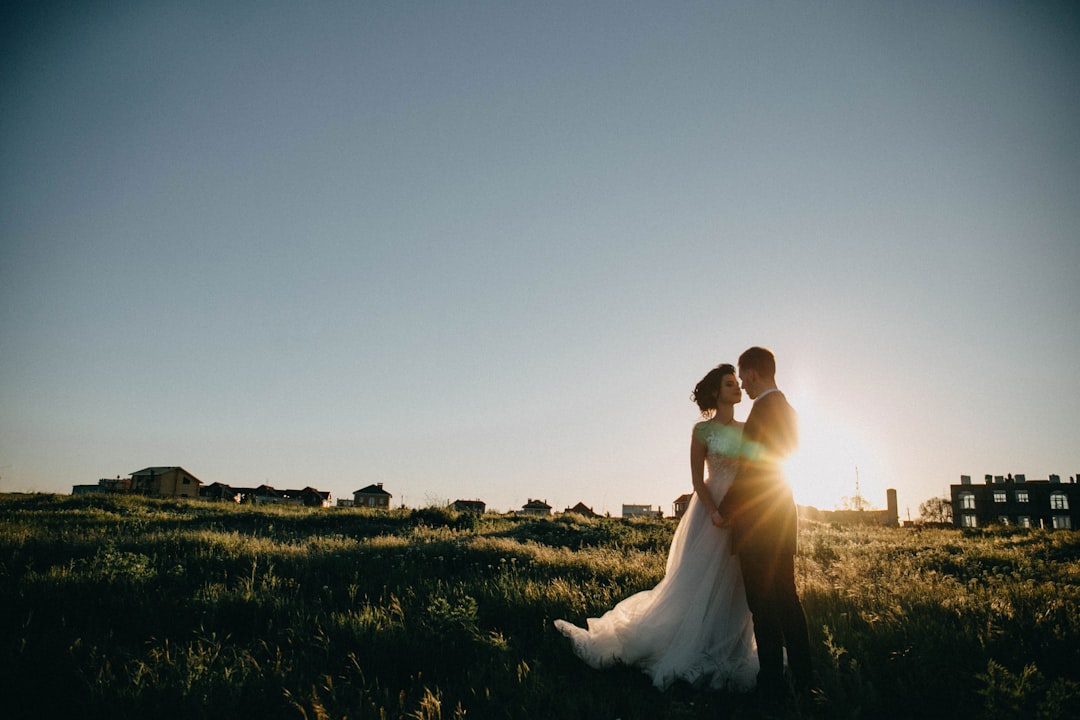
Chic Wedding Fonts and Typography Trends 2026
Wedding Typography Trends 2026
Estimated reading time: 8 minutes
- Emphasis on variable fonts for digital-first invites.
- Luxury-minimal aesthetics with serif revival.
- Tactile finishes elevating physical stationery.
- Sustainable inks and materials influencing typography choices.
- Inclusive typography for diverse guest lists.
Table of Contents
- Introduction
- Why This Matters in 2026
- Wedding Typography Trends 2026
- Practical Planning
- Design and Branding
- Practical Examples
- Budget Realities and Cost-Saving Tips
- Typography for Print: Technical Checklist
- Typography for Web and Digital Invites
- Common Mistakes and How to Avoid Them
- Frequently Asked Questions (FAQ)
- Conclusion
Introduction
Wedding typography trends 2026 matter because type is how couples set the tone before guests arrive. The fonts and typographic treatments you choose communicate formality, intimacy, and the experience you want to create—from save-the-dates and wedding websites to menu cards and signage. This guide, aimed at bride-to-be planners and designers in the US, explains what’s trending, why it matters for budget and vendors, and exactly how to apply these trends to your wedding design.
Why This Matters in 2026
Typography is no longer a background detail. With micro-weddings, hybrid events, multilingual guest lists, and a continuing push for sustainability, typography must be flexible across media and mindful of material choices. In 2026:
- Couples want cohesive branding across printed and digital touchpoints.
- Tech advances (variable fonts, improved webfont licensing) allow consistent aesthetics on phones, tablets, and printed pieces.
- Sustainability and inclusivity push practical constraints (paper choices, ink limitations, legibility for older guests).
Understanding these forces helps you get designer-level results—without overspending.
Wedding Typography Trends 2026
Wedding typography trends 2026 fall into five practical directions you can use immediately.
1. Variable and Responsive Fonts for Hybrid Invites
What it is: Variable fonts let one type file act like many—weight, width, and slant can adjust for screen size or print requirements.
Why it matters: Use a single variable family to keep harmony between your wedding website, RSVP emails, and printed invitations. It reduces webfont licensing complexity and keeps visual identity consistent.
Practical tip: Ask your web designer or DIY tool for variable font support and test headline weights at small sizes for legibility.
2. Serif Resurgence Paired with Modern Grotesques
What it is: Classic transitional or old-style serifs (for headings) matched with clean neo-grotesques (for body text) create a modern-luxury balance.
Why it matters: This pairing reads as upscale but contemporary—ideal for luxury wedding aesthetics without feeling stodgy.
Example pairings: Playfair Display + Inter; Freight Text + Neue Haas Grotesk.
3. Script and Hand-Lettering Used Sparingly
What it is: Expressive scripts appear in logos, monograms, or names, but not for long passages.
Why it matters: Scripts convey emotion and personality, but overuse harms accessibility and printing clarity. Reserve scripts for names, monograms, or headings; use a readable sans-serif for details like addresses, dates, and directions.
4. Sustainable-Print-Aware Typography
What it is: Low-ink, high-contrast typography and toned-down gradients that print well on recycled paper and use soy or vegetable inks.
Why it matters: Recycled stocks absorb ink differently; some metallic or foiling effects aren’t eco-friendly or cost-effective. Design with ink coverage and paper tone in mind.
Print tip: Request paper proofs and adjust stroke widths to avoid ink-spread on uncoated stocks.
5. Accessible and Inclusive Type Choices
What it is: Fonts with large x-heights, open counters, and generous spacing; multilingual character support (accents, diacritics).
Why it matters: Guests span generations and languages. Prioritize legibility for invites, seating charts, and signage.
- Minimum body text size: 10–11 pt for print, 16 px for web
- Contrast ratio: aim for strong contrast between type and background
- Avoid overly condensed display fonts for crucial info
Practical Planning: Timeline and Vendor Coordination
Use this numbered timeline to coordinate typography across vendors (designer, stationer, printer, web developer).
- 10–12 months before: Choose primary type palette (2–3 families) and moodboard. Share with planner and photographer for cohesive shots.
- 8–10 months before: Order save-the-dates (digital-first or hybrid); test web fonts on your wedding site.
- 6 months before: Finalize invitation layout and paper stock; request print proofs.
- 3 months before: Approve signage templates (ceremony program, menus, place cards); order large-format signage to check legibility from walking distance.
- 1 month before: Final print run and delivery; confirm web RSVP form accessibility and font fallbacks.
- 1 week before: Confirm Day-Of signage placement and lighting (type contrast changes under lights).
Design and Branding: Combining Typography with Emotional Impact
Typography is a key element of wedding branding: it sets expectations about formality, pace, and atmosphere.
Emotional cues by style:
- Classic formal: high-contrast serif headings + delicate script monogram.
- Modern-minimal: geometric sans-serif, tight tracking, muted palette.
- Boho/rustic: organic hand-lettered scripts + low-contrast serif.
- Luxe editorial: bold serif display, ample white space, tactile finishes.
Brand touchpoint mapping:
- Save-the-date: expressive headline + readable details (digital-first adaptation).
- Invitation: monogram + names in script; details in serif/sans for clarity.
- Wedding website: responsive typography with accessible sizes and form fields.
- On-day signage: large sans-serif headings readable from 6–10 feet; serif for subtext if desired.
- Menus/Programs: consistent body text size across pieces; avoid mixing too many fonts.
Practical Examples (Real-World Application)
Example A: City loft formal wedding (budget-conscious)
- Fonts: Playfair Display (headings) + Source Sans 4 (body).
- Paper: 100% recycled off-white, digital foil for names only (minimal ink).
- Result: Luxury look with reduced ink coverage; cohesive website using same pair.
Example B: Vineyard micro-wedding (high-touch)
- Fonts: Custom script for couple’s name (professionally hand-lettered) + Freight Display (headings) + Inter (body).
- Techniques: Letterpress invitation with blind embossing for the vineyard map; tactile signs at ceremony.
- Result: High-perceived value; typography used as sensory experience.
Budget Realities and Cost-Saving Tips
- Custom lettering vs. licensed fonts: Custom calligraphy increases stationery cost ($150–$500+). Licensed type families are more affordable and scalable.
- Printing finishes: Foil and letterpress add $3–$12 per invitation; blind embossing is often cheaper than metallic foils but still premium.
- Combine print and digital: Send a simple printed invitation for formal legal info (names, date) and a detailed digital wedding website for logistics—reduces heavy printed suites.
- Vendor coordination saves money: Share final font files and brand colors with all vendors to avoid rework fees.
Typography for Print: Technical Checklist
- Files to provide to printers: vector PDFs with outlined fonts (or embedded fonts with license), CMYK color swatches, 1/8″ bleed.
- Minimum stroke weight for engraving: avoid strokes thinner than 0.5 pt.
- Foil considerations: highly detailed scripts may not foil cleanly—simplify hairlines.
- Print proofs: request both digital and physical proofs on final stock before full print runs.
Typography for Web and Digital Invites
- Webfonts: choose fonts with broad weights and good hinting; prefer variable fonts for performance.
- Fallbacks: specify system font fallbacks for emails and ensure your RSVP form uses accessible fonts.
- Motion typography: subtle animating headers (fade, weight shift) can elevate digital invites; keep motion reduced for accessibility.
- Size rules: H1 ≈ 28–40 px on desktop, H2 ≈ 22–28 px; body 16–18 px for readability.
Common Mistakes and How to Avoid Them
- Mistake: Using scripts for all text.
Fix: Reserve scripts for names and decorative elements; use neutral serif/sans for details. - Mistake: Ignoring paper tone.
Fix: Test ink color on actual stock. Ivory or kraft paper changes perceived contrast—adjust stroke weight and color. - Mistake: Not checking multilingual glyph support.
Fix: Confirm the font supports accented characters, diacritics, or alternate alphabets if you have international guests. - Mistake: Too many fonts.
Fix: Limit to 2–3 type families: primary display, secondary body, optional accent/script.
Frequently Asked Questions (FAQ)
- Q: How many fonts should I use in my wedding suite?
A: Stick to 2–3 fonts: a display or script for names/headlines, a readable serif or sans for body text, and an optional accent. This keeps the design cohesive. - Q: Can I use any webfont for print?
A: Not always. Check licensing and confirm that the font renders well at print sizes and on your chosen paper. Some web-only fonts lack high-resolution glyphs suitable for print. - Q: What font sizes work best for signage?
A: For directional signage, aim for 48–72 pt for headings (readable from 6–10 feet) and 18–24 pt for subtext, depending on viewing distance and lighting. - Q: How can I make typography more sustainable?
A: Choose recycled or FSC-certified stocks, reduce heavy ink coverage, avoid metallic foils if sustainability is a priority, and consolidate printed pieces by moving details to a wedding website. - Q: Are custom fonts worth it?
A: Custom fonts or hand-lettered monograms are valuable for brand uniqueness and photography, but they add cost. Consider a mix: one custom element (monogram) + licensed fonts for text.
Conclusion
Wedding typography trends 2026 blend tech-forward flexibility, sustainable printing realities, and inclusive legibility. Choosing a cohesive type palette—variable fonts for web, a refined serif + modern sans for print, and a tasteful script for names—will elevate guest experience and unify every touchpoint. For practical font exploration and curated type families that work across print and web, explore options at https://fonts.wedding to find pairings that match your wedding’s emotional tone and budget. Remember: thoughtful typography communicates your story long before guests arrive.